From template portfolio to brand: rebuilding yongchivo.com
This site started life as a template. It did its job — a sidebar, a list of projects, a CV — but it read like what it was: a student portfolio. Meanwhile the things I actually build had grown into something bigger: an app on both stores, a hub of security tools, a private file converter, an orchestrator for AI coding agents.
So I rebuilt it. The goal changed from “show my CV” to “be the Yongchivo brand”: a place that can win clients and users, not just recruiters. Here’s what changed and the decisions behind it.
Audit first, design second
Before touching a single file I ran a read-only audit of the codebase and wrote down what was actually there. A few things it surfaced:
- The brand wasn’t consistent with itself. The favicon’s “Y” fades magenta to cyan, the sidebar logo fades magenta to blue, and the web manifest declared a theme colour the site never used.
- Hover animations ignored reduced motion. Every card scaled on hover, with no
prefers-reduced-motionguard anywhere — and the analytics charts animated unconditionally too. - There was no Spanish home page. The tools were bilingual, but the home, projects and CV weren’t, and the sidebar was hard-coded in English even on Spanish pages.
- Small semantic debts: every project card was an
<h1>, so the home page had half a dozen of them, while the real title was a<div>.
Having that list first meant every later decision had a reason, rather than being “this looks cooler”.
The home page is now just a bubble
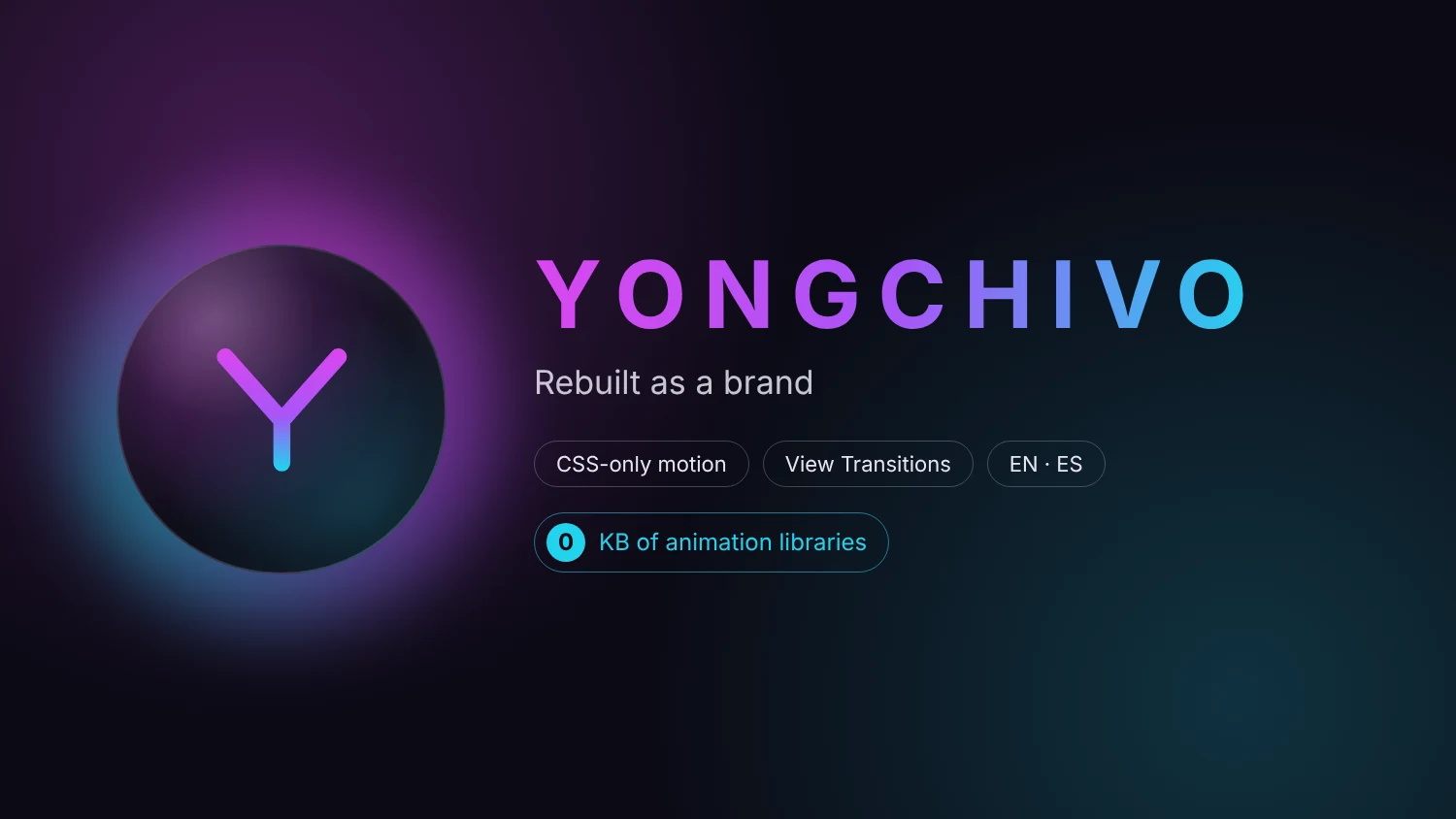
The new home page has two things on it: the word YONGCHIVO and the “Y” floating in a bubble. Tap the bubble and it squashes, a neon ring bursts outwards, and three sections pop out around it: Tools, Projects and Who am I?
My name is deliberately not on the home page. The brand comes first; who’s behind it is one tap away.
Under the hood:
- The “Y” is the same path as the favicon, as an SVG, so it can be drawn on stroke by stroke when the page loads.
- The bubble floats, the halo turns and breathes, and an iridescent band sweeps round the edge. Every one of those animates only
transformandopacity, so the browser can hand them to the GPU. - The pop uses a real spring. CSS’s
linear()easing can describe a spring curve, with acubic-bezierfallback for older browsers. - Without JavaScript the links are simply visible. The “closed” state only applies once the script has marked the bubble as enhanced, so nobody is ever stuck behind a button that doesn’t work.
- Keyboard users get the same thing. The bubble is a real
<button>witharia-expanded. When it’s opened from the keyboard, focus moves to the first link; Escape closes it and returns focus to the bubble.
No animation library
I compared GSAP (roughly 23 KB) and Motion (around 18 KB, or under 3 KB for its smallest build) against plain CSS. CSS won, for three reasons:
- Zero kilobytes. Nothing new to download, nothing new in
package.json. - The CSP already decides it. The site’s Content-Security-Policy only allows scripts from its own origin, so loading a library from a CDN was never an option — and I didn’t want to weaken a policy that scores an A just for some easing curves.
- The heavy pages stay clean. The file converter runs WebAssembly, some of it on the main thread. Keeping animation code out of the shared layout means those pages don’t pay for animations they don’t use.
The one thing a library would have added — interrupting a spring halfway — wasn’t worth it here.
Reduced motion, everywhere
Every ambient animation (the float, the halo, the cards fading in as you scroll) sits behind prefers-reduced-motion: no-preference. Hover effects use Tailwind’s motion-safe: variant, the charts drop their animation, and a small global safety net catches anything that slips through. With reduced motion on, the site is simply still — nothing is lost, it just doesn’t move.
From sidebar to top bar
The sidebar went. In its place is a slim top bar: the “Y” in a mini-bubble, the sections lit in the same colours as the home bubbles (Tools cyan, Projects magenta, Who am I? purple), and an EN/ES switch. Social links and contact moved to the footer.
My favourite detail: the bubble and the top bar logo share a view transition name. When you leave the home page, the “Y” flies from the bubble into the top bar. The catch is that a name must be unique on each page, so the home page has no top bar at all — the bubble is the navigation there.
A page for every project
Projects now come from a single data file in both languages. The list shows the newest project featured at the top and the rest as cards, each with a status: a green dot that pulses for Live, plus Open source and Coursework. Every card now opens the project’s own page with the full story and a button to GitHub or the live site, and the cover image morphs into that page’s header as you navigate.
Who am I?
The CV page became Who am I?: a short biography — from Málaga to Birmingham to the final year of a Cyber Security degree — what Yongchivo can do for small businesses, startups and individuals, how I work, and the full CV underneath.
Fully bilingual
Home, projects, every project page and Who am I? now exist in Spanish too, under /es/. The top bar, footer and language switch follow the page’s language, and each pair of pages links to the other with hreflang so search engines know they’re the same page in two languages.
What I took away from it
- Audit before you design. The list of real problems shaped the design more than any moodboard did.
- Security constraints are design constraints. The CSP ruled out the CDN route before I even had to argue about it, and the site is better for it.
- CSS goes a long way. Springs, morphs between pages, staggered reveals — none of it needed a framework.
- Accessibility is cheaper on day one. Reduced motion, keyboard support and a no-JS fallback were a few lines each when they were part of the plan; bolted on later, they’d have been a rewrite.
As with my other recent projects, I directed Claude Code through the build and reviewed every change before it landed.
If you have an idea for an app, a website or a security review, the new Who am I? page is the place to start.
Part of “learning in public” — documenting projects, mistakes, and things I figure out while studying Cyber Security and building software alongside it.
Comments
Sign in with GitHub to leave a comment or react. Be kind, be useful.